

What is preserved
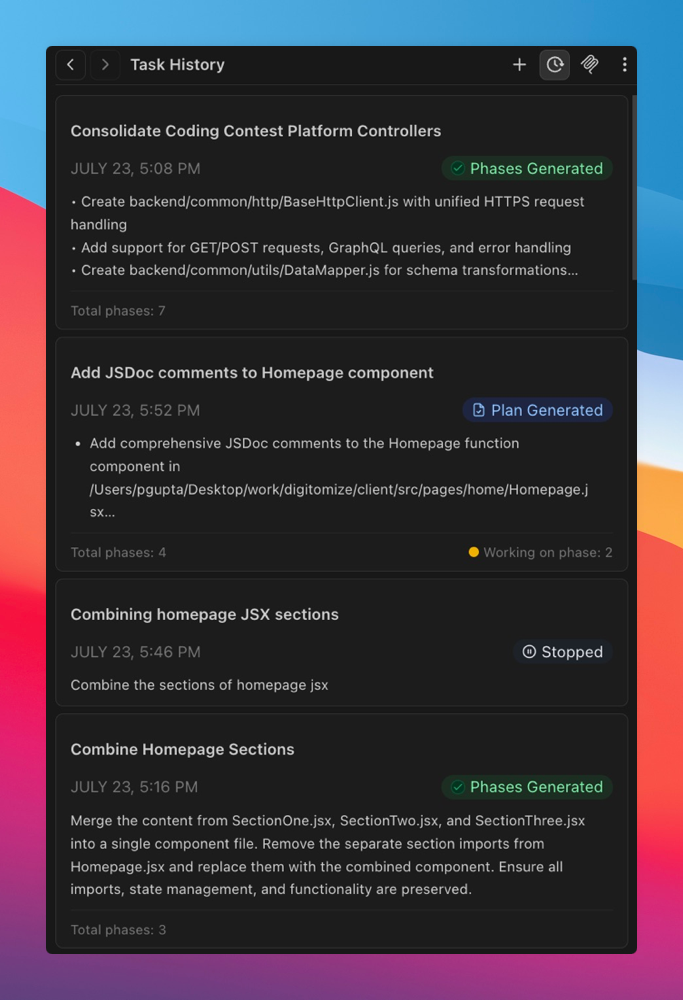
Traycer maintains a comprehensive record of your development workflow:- Task history: Complete timeline of all generated tasks and their iterations.
- Phase progression: Step-by-step history of multi-phase projects.
- Plan evolution: How your implementation plans changed over time.
- Context preservation: All decisions, file mappings, and rationale from previous sessions.
Finding your tasks
The Task History interface provides powerful tools to locate and manage your development history:- Fuzzy search: Quickly find tasks using partial matches across task titles and queries.
- Workspace filtering: Choose to view tasks from:
- Current Workspace: Show only tasks from your active workspace.
- All Workspaces: Display tasks from all your workspaces for a complete overview.
What happens if I switch devices?
What happens if I switch devices?
Sign in with the same Traycer account on another device. Your synced history will load automatically.
What happens if I reinstall Traycer?
What happens if I reinstall Traycer?
After reinstalling Traycer, sign back in with the same account to restore your synced history.